

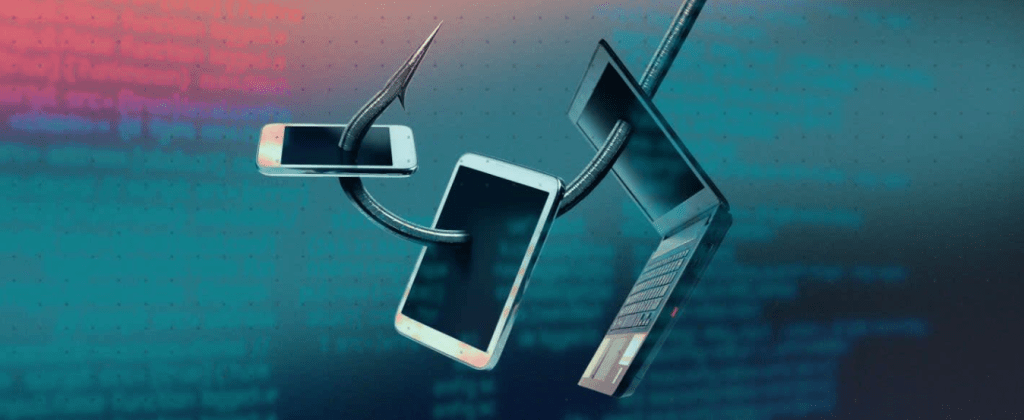
A Beginner’s Guide to Recognizing and Avoiding Phishing Scams
Phishing scams are one of the most common and deceptive forms of cyberattacks. These scams trick individuals into providing sensitive information, such as passwords, credit card numbers, or personal data, by pretending to be a trusted entity. Whether you’re an individual or a small business owner, understanding phishing scams is essential to protecting yourself online. Here’s a beginner-friendly guide to recognizing and avoiding phishing scams.
1. What is Phishing?
Phishing is a cyberattack in which attackers masquerade as legitimate organizations or individuals to deceive targets into revealing confidential information. Phishing attempts can take various forms:
- Email Scams: Fraudulent emails mimicking banks, e-commerce platforms, or other trusted services.
- Fake Websites: Websites designed to look identical to legitimate ones, enticing users to input personal data.
- SMS and Social Media Scams: Text messages or social media posts offering fake deals or urgent requests.
2. Common Signs of a Phishing Attempt
Being aware of the telltale signs of phishing can help you identify and avoid scams:
- Urgent Language: Phrases like “Your account will be locked!” or “Respond immediately!” create a sense of panic.
- Too Good to Be True Offers: Claims of winning prizes or receiving large sums of money are often scams.
- Misspelled URLs and Emails: Fraudulent links may contain subtle typos or unusual domain names.
- Suspicious Attachments: Unexpected files can contain malware designed to steal your information.
- Unprofessional Language: Poor grammar or spelling mistakes are common in phishing communications.
3. Steps to Avoid Falling Victim to Phishing Scams
Protect yourself by taking these proactive measures:
- Verify Senders: Check the sender’s email address or phone number for legitimacy. Be cautious if it looks unfamiliar or altered.
- Avoid Clicking on Links: Hover over links to view the URL before clicking. If in doubt, visit the website directly instead of using the link.
- Be Skeptical of Attachments: Avoid opening files from unknown sources.
- Enable Two-Factor Authentication (2FA): Add an extra layer of security to your accounts to protect against unauthorized access.
- Use Security Tools: Install antivirus software and email security tools to filter out phishing attempts.
4. What to Do If You Suspect a Phishing Attempt
If you suspect a phishing scam:
- Do Not Respond: Avoid interacting with suspicious messages, links, or forms.
- Report the Incident: Notify the legitimate organization being impersonated and report the phishing attempt to relevant authorities.
- Change Your Passwords: If you believe you may have provided login credentials, immediately update your passwords.
- Monitor Your Accounts: Regularly check financial and online accounts for unauthorized activity.
5. Educating Yourself and Others
Awareness is the best defense. Educate yourself and share knowledge with others:
- Phishing Simulations: Participate in or provide training simulations to recognize phishing attempts.
- Stay Updated: Keep informed about new scams and trends in phishing tactics.
- Encourage Safe Practices: Advocate for secure practices, like verifying communication sources and enabling account security features.
Conclusion
Phishing scams are a growing threat, but with vigilance and the right strategies, you can protect yourself and those around you. By recognizing common signs, avoiding risky interactions, and staying informed, you can reduce your risk of falling victim to these deceptive attacks.
Remember, cybersecurity is a shared responsibility. The more we educate ourselves and others about phishing, the safer we all become in the digital world.
POWERED BY TECH UP SOLUTIONS

 CYBERHELP AFRICA